Plan connected content
I researched search intent, mapped pillar articles and supporting questions, and brought internal plans into the project through connections and uploads so it could work from the same priorities.
SEO STRATEGY / AI-ASSISTED CONTENT OPERATIONS
I took charge of the website's SEO content program and built an AI-assisted editorial system that improved with use. I developed its writing guide, refined the agent's instructions, connected source material and planning tools, and extended the work into a browsable Resource Center homepage.
When I took responsibility for the SEO content project, the work went beyond writing individual posts. The website needed a clearer editorial plan: useful answers to real search questions, consistent research and presentation, and articles connected by subjects rather than scattered through a blog archive.
I was also responsible for making production efficient enough to build and maintain that library. I used AI to support research, drafting, visuals and publishing, and shaped the system around the editorial standards I wanted each article to meet.
I set the audience, search intent, writing style and quality standards, then continually refined the project and agent setup as I used it.
I improved the system alongside the content: clearer instructions, better first drafts and closer connections to the material and plans behind each article.
I researched search intent, mapped pillar articles and supporting questions, and brought internal plans into the project through connections and uploads so it could work from the same priorities.
I wrote a style guide and continuously adjusted the agent and project instructions. As I refined the setup, first drafts became more consistent with the voice, structure and level of detail I wanted.
I gave the agent access to an organized database of real photos and videos, alongside product information and internal plans. I also directed explanatory illustrations and checked the research, visuals and source material.
I created an updating tracker sheet to keep planning and production organized, prepared metadata and internal links, and used each round of editing to improve both the finished article and the next first draft.
I developed and published these articles, directing the research, structure, writing and visuals, and sourcing customer contributions for the wildlife collection.
A central guide linking to more specialized installation topics. An example of building a connected content network around search questions.
Read the articleTranslating product features into an understandable account of what dual lenses, distant detail and low-light options mean in practice.
Read the articleFour realistic situations to explain home-security decisions for families while treating privacy and independence seriously.
Read the articleBringing customer-contributed wildlife captures into a structured, engaging editorial collection after sourcing and verifying the material.
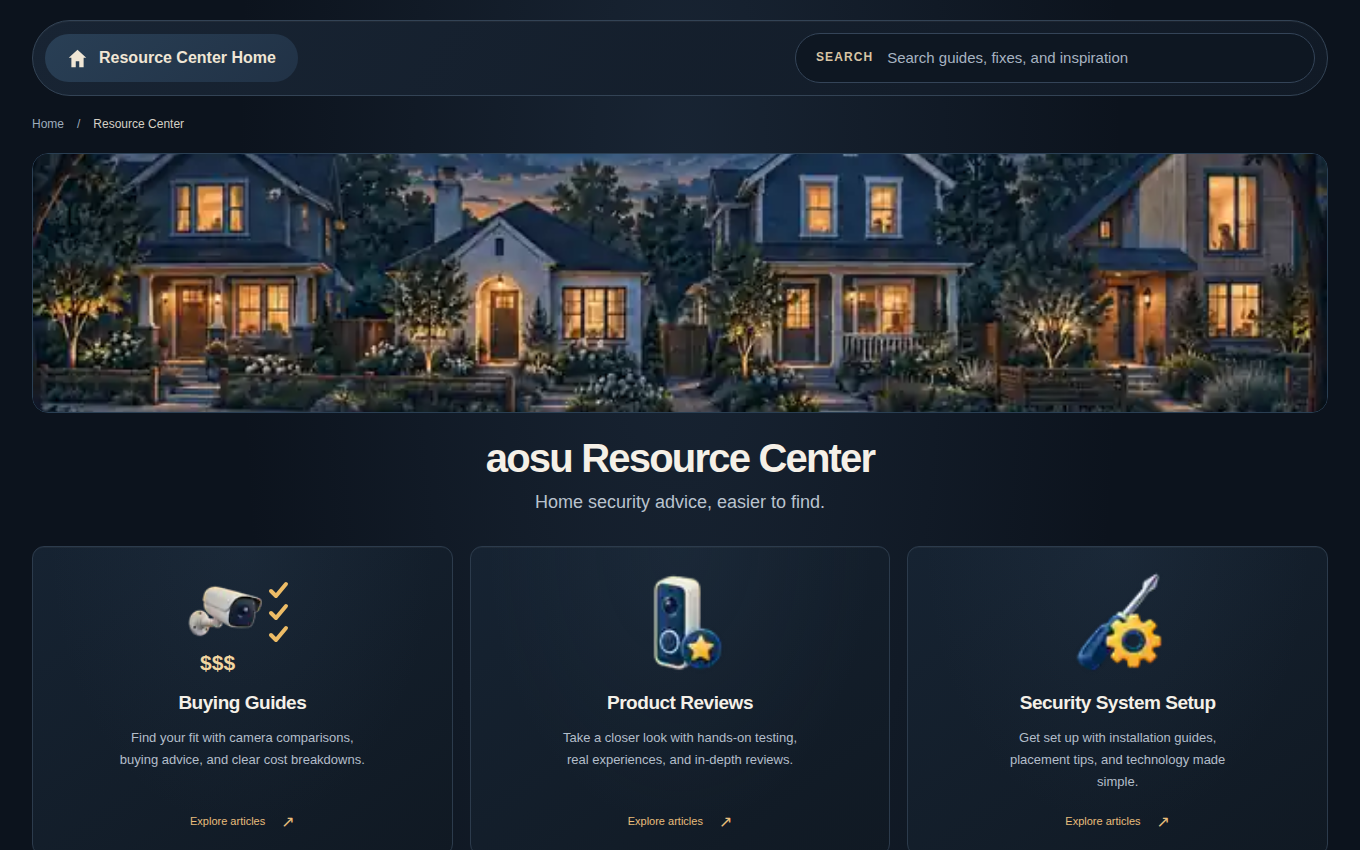
Read the articleAs the library grew, I saw the need for a more useful way to explore it. I designed the Resource Center's structure and built its homepage through the same AI-assisted workflow, with six browsing categories, search and routes into relevant guides.
The interactive homepage brings together category navigation, search, featured articles and recent guides.
Explore the Resource Center project
Explore the interactive homepage
Explore the homepage prototype and try its search and browsing features.
I built an editorial operation that became more capable as I used it. The style guide, refined agent instructions, real-media library, internal plans and tracker gave the system a stronger starting point for each new piece of work.
The Resource Center extended that work into website structure and user experience, helping readers find and use the growing article library.
Explore the other case studies or browse individual writing samples on the homepage.